

VALORANT players have two separate Discord rewards to check this October: a Riot Cash Code offer for eligible new Nitro subscribers and a Champions-themed avatar decoration earned through a gameplay Quest. Each has its own requirements, so check the reward before signing up or starting your session.
What Can You Get?
|
Promotion |
Reward |
Main Requirement |
|
Nitro subscription offer |
$10 Riot Cash Code, usable in VALORANT or League of Legends |
Meet the offer’s eligibility rules and subscribe to Nitro |
|
Play VALORANT Quest |
Champions Shanghai: Frag or Die Avatar Decoration |
Accept the Quest and play VALORANT for 15 minutes with Discord running |

The Riot Cash offer requires a paid subscription. The avatar decoration is a separate gameplay reward for your Discord profile.
How to Claim the $10 Riot Cash Code
Who Is Eligible?
Discord’s current requirements specify new Nitro subscribers in the United States with an active VALORANT or League of Legends account played within the previous 180 days.
Existing Nitro subscribers, Nitro Basic or Classic users, accounts currently using Nitro credits, and users who already received this offer’s code are excluded. Check your eligibility before paying.
Claiming and Redeeming Your Code
1. Subscribe to eligible Nitro during the promotional window.
2. Open Nitro Home on desktop or browser.
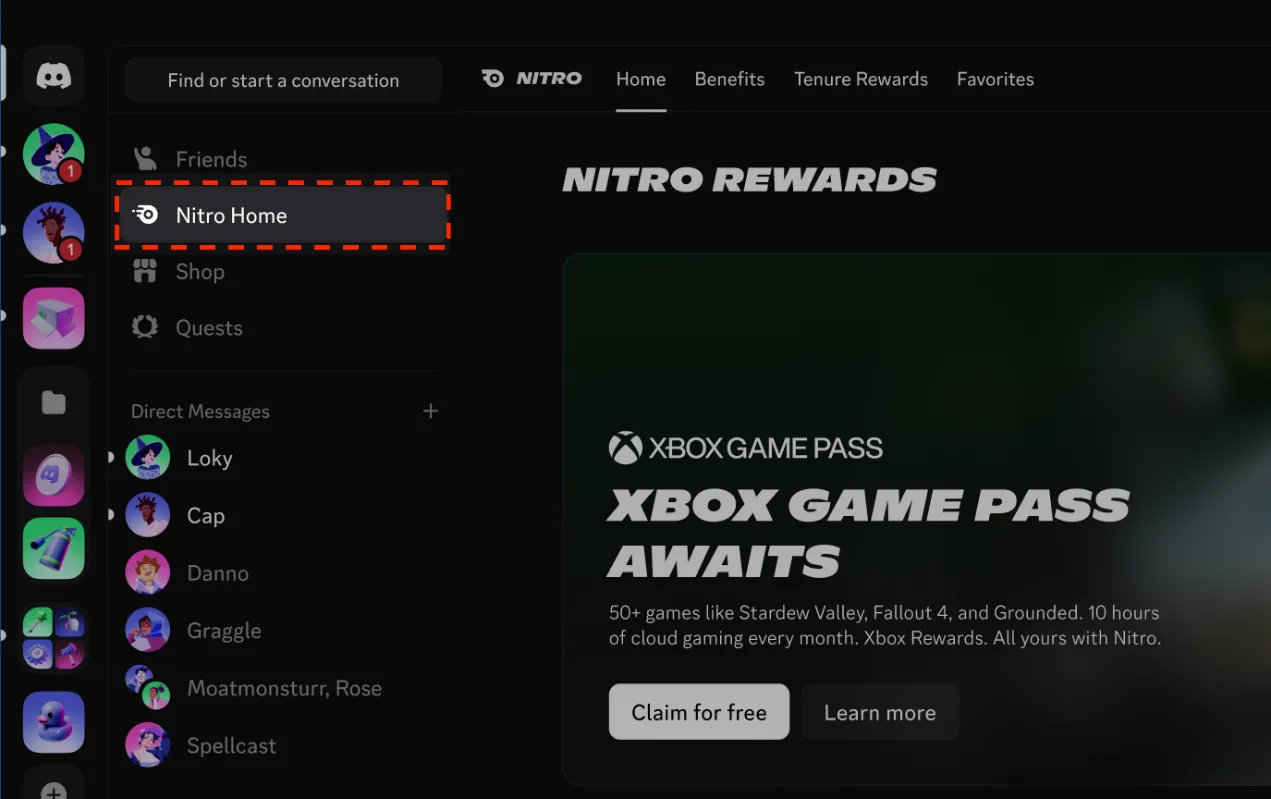
3. Find the $10 Riot Games reward card under Nitro Rewards.
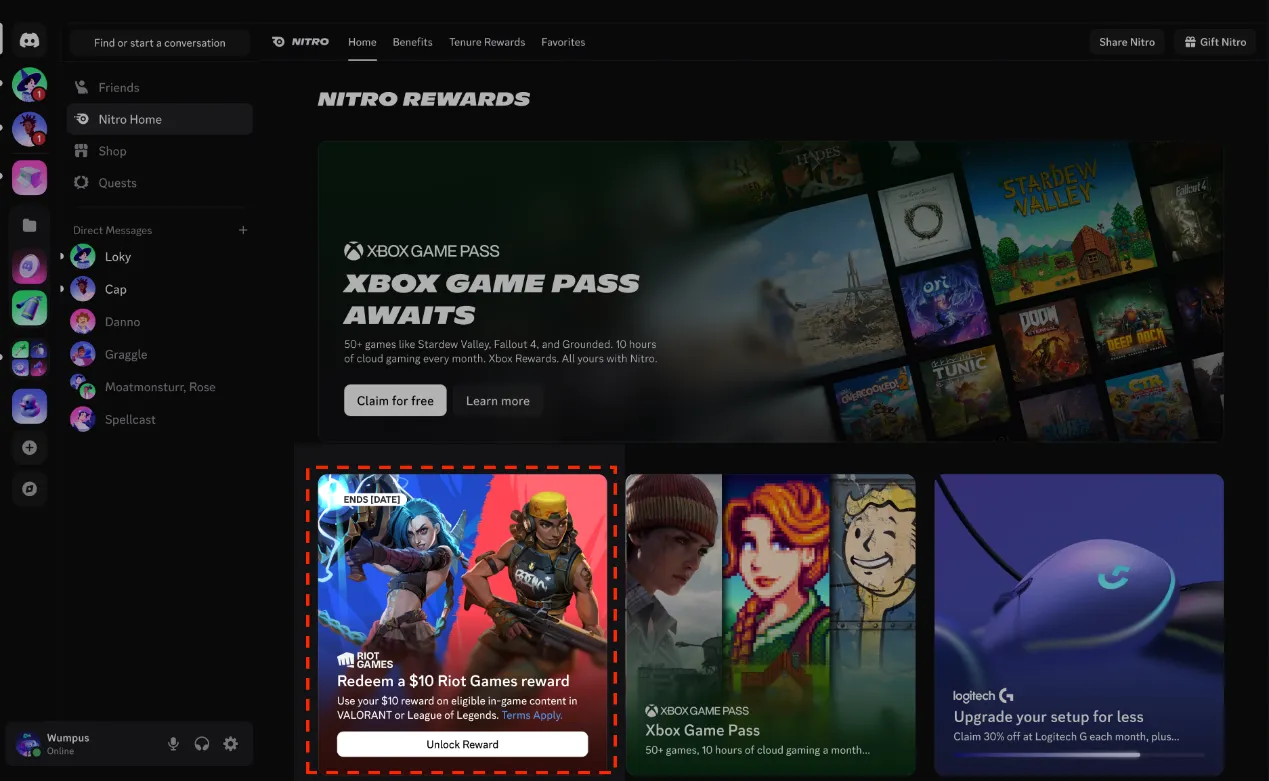
4. Select Unlock Reward, then copy or redeem your code.
5. Redeem through Riot’s store or the prepaid-code option in a participating game.
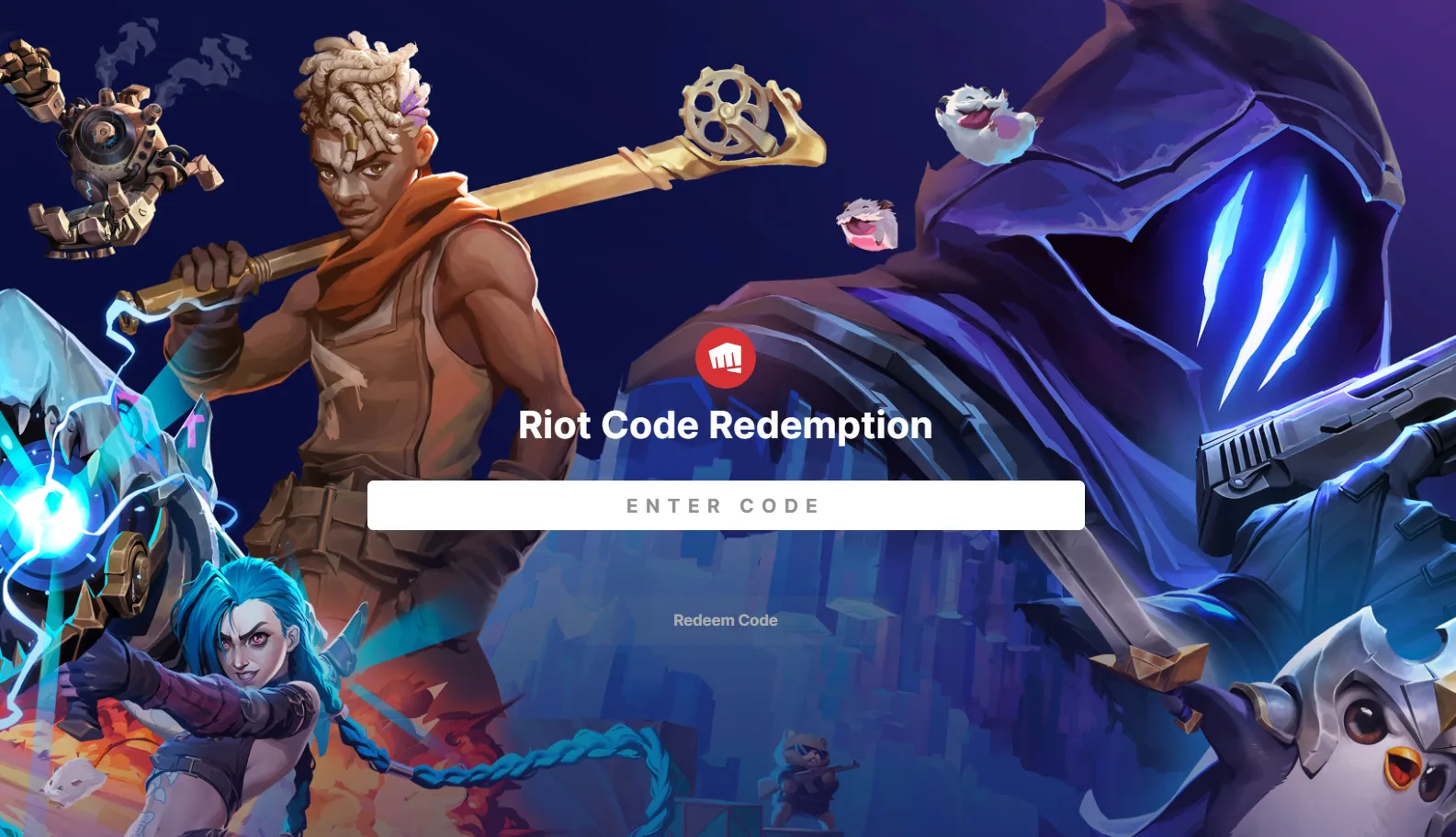
The subscription window runs September 30–October 14, 2026, ending at 12 PM ET. Claim the code by October 28; claimed codes do not expire. Supplies are limited.
How to Get the Free Champions Discord Avatar Decoration
The Play VALORANT Quest rewards the Champions Shanghai: Frag or Die Avatar Decoration. Complete it by playing VALORANT for 15 minutes while your Discord client is open. The reward decorates your Discord avatar.
Step-by-Step Claim Guide
1. Open the Discord desktop app and sign in.
2. Go to Discover → Quests, or open the Play VALORANT Quest.
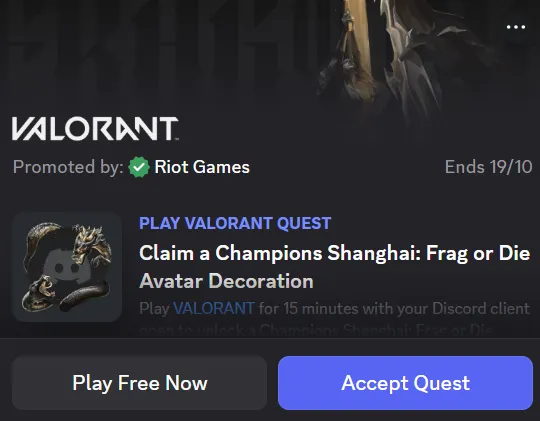
3. Confirm that its reward is Champions Shanghai: Frag or Die, then select Accept Quest.
4. Launch VALORANT and play for the required 15 minutes, keeping Discord running.
5. Return to the completed Quest and select Claim Reward.
Discord adds claimed avatar decorations directly to your account. Accept the task before playing so you can check its progress during your session.
When Does the Quest End?
The Quest runs through October 18, 2026. Play VALORANT for 15 minutes and claim your reward before it ends.
Is the Avatar Decoration Permanent?
Recent Quest information describes two months of access. Discord also states that Quest decorations normally last two months; standard Nitro can extend access to eligible decorations, though this benefit does not cover every reward. Check the decoration’s displayed expiry after claiming it.
FAQ
Why Can’t I See the VALORANT Quest?
Quest availability can vary by region. Check Discover → Quests directly, even if you dismissed its promotional banner. An unavailable Quest cannot be completed from an ineligible region.
Can I Complete the Gameplay Task in a Browser?
For standard play-time Quests, Discord requires its desktop app to track gameplay. Opening Discord in a browser alone is insufficient for that tracking method.
How Do I Equip the Decoration?
Open User Settings → Profiles → Change Decorations, select the claimed decoration, and save your changes.
Before Your Next Match
Accept the Champions Quest before your next match, then remember to claim your decoration once it’s complete. If you qualify for the Nitro offer, collect your Riot Cash Code before the deadline, too.
Got a skin on your wishlist? Explore VALORANT top-up options at Mone when you’re ready to add more VP, and pick up the look you want for your next round.