


Headquarters upgrades can stall for days when a required building falls behind or your resources run out halfway through the preparation. In Last Z: Survival Shooter, a smoother HQ push starts with knowing what the next level needs—and saving enough for the buildings that must come first.
This guide covers the upgrade route, hero level caps, resource planning, and ways to make your construction speedups go further.
What Does Upgrading Headquarters Do?
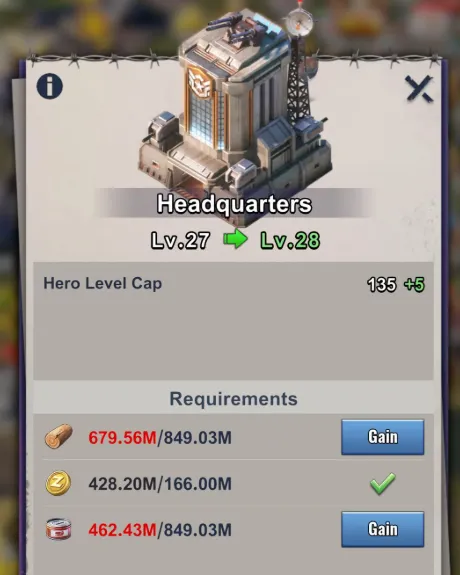
Your Headquarters controls much of your shelter’s progression. Raising its level increases the building level ceiling, raises the maximum level your heroes can reach, and unlocks additional buildings and features.
The hero level cap is five times your HQ level. HQ20 allows level 100 heroes, HQ30 allows level 150, and HQ35 allows level 175. Your heroes still need EXP and any applicable advancement requirements; an HQ upgrade raises their ceiling rather than leveling them automatically.
Level 35 is available on servers where the HQ31–35 expansion has unlocked. If your server still stops at HQ30, prepare your account while waiting for the later progression stage.
Last Z Headquarters Upgrade Requirements
Early Levels: Follow the Tutorial Requirements
During the opening levels, the HQ upgrade screen is your best route through the tutorial buildings. Early requirements include structures such as City Walls, Radar, and Military Center.
The Laboratory enters the HQ upgrade route at HQ8. HQ9 also requires the Hospital, before the more regular camp-and-support-building rotation begins.
HQ10–30: Laboratory and One Additional Building
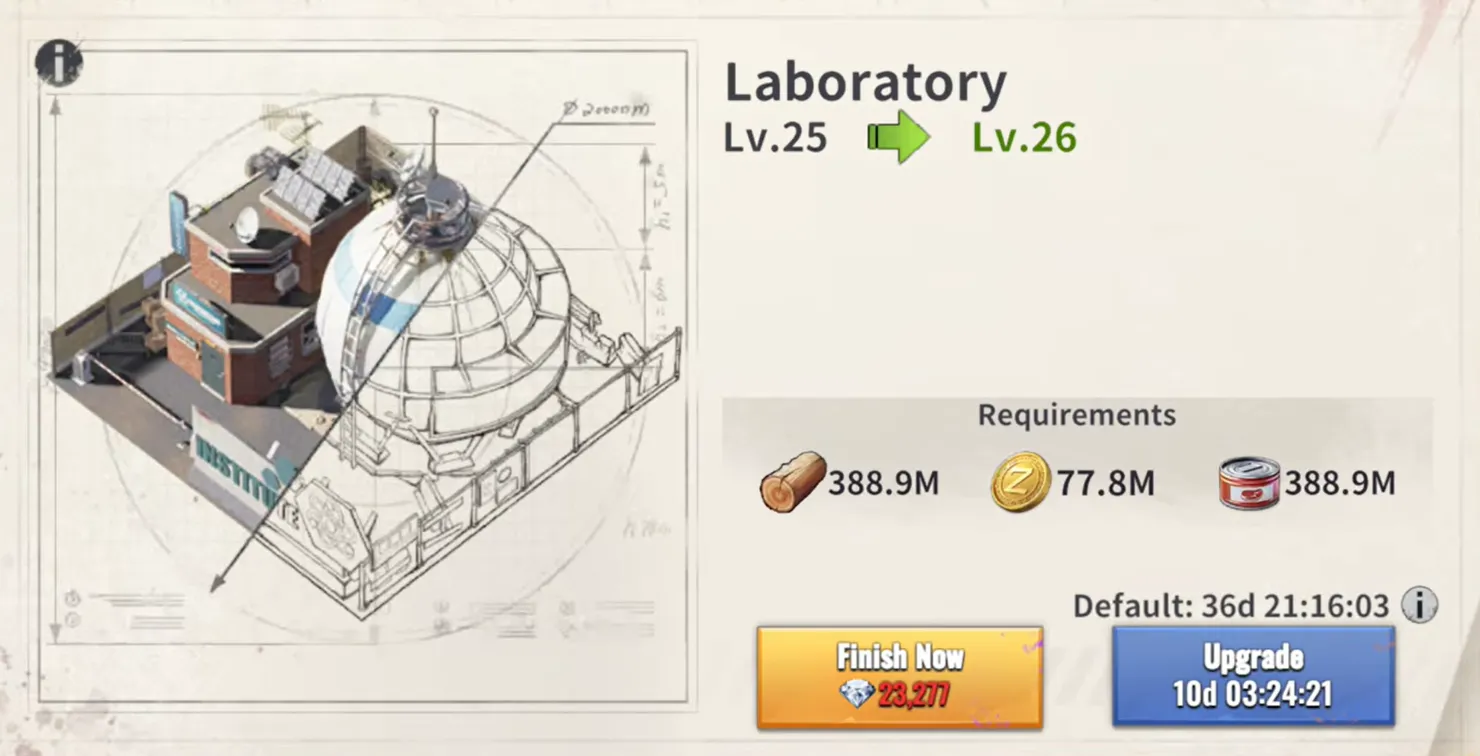
For each target level below, both listed buildings must reach the specified level before you can start the HQ upgrade.
For example, going from HQ26 to HQ27 requires Laboratory Lv. 26 and City Walls Lv. 26. After reaching HQ27, your next target becomes Laboratory Lv. 27 and Alliance Center Lv. 27.
This is why upgrading only your favorite troop camp eventually causes a delay: the HQ route rotates through all three camps.
HQ31–35: Steel Enters the Upgrade Budget
Once these levels are available on your server, HQ upgrades also require Steel. The building requirements change after HQ31:
The Laboratory is still required for HQ31. From HQ32 through HQ35, it is no longer listed as a direct HQ prerequisite.
How to Plan Your Upgrade Resources
Most of the regular HQ route consumes Food, Wood, and Zent, with Steel added for HQ31–35.
The figures below are approximate reference costs for reaching the target HQ level, covering the HQ upgrade itself. They exclude prerequisite buildings, and your actual price depends on applicable construction cost reductions. Check your upgrade panel before committing resources.
Some reference tables already include cost reductions. For example, applying a 15% reduction to the HQ30 reference cost above gives approximately 1.414 billion Food and Wood each, plus 277.1 million Zent. Avoid applying the same discount twice when budgeting from an adjusted table.
The real budget is HQ cost + prerequisite building costs + their prerequisite costs. If your Laboratory or required camp is several levels behind, saving only the HQ amount will leave you short.
While construction runs, gather the resource you are missing most and collect your available daily and event rewards. Avoid spending the same stockpile on unrelated upgrades immediately before a planned HQ push.
Planning a Paid Boost?
If you already plan to spend, identify the shortage first. A resource pack helps when materials are blocking the upgrade; construction speedups help when the buildings are funded but the timers are holding you back.
For your next recharge, compare the available Last Z: Survival Shooter top-up options at Mone against your planned in-game purchase. Keep the budget focused on the next useful HQ milestone and check the selected product’s contents before ordering.
Best Building Upgrade Order for Faster HQ Progress
Prioritize the next HQ requirement, then prepare the level after it. There is little benefit in spreading your construction budget evenly across the entire shelter when two specific buildings are blocking progression.
Start by checking the target HQ screen. Upgrade whichever prerequisite will take longer, and inspect that building’s own requirements before spending speedups. Once everything is ready, start Headquarters and use its construction time to gather resources for your next step.
If you have a second builder, use it to prepare another required structure while the first queue handles your current bottleneck. An extra queue lets two buildings progress simultaneously; it does not make an individual HQ timer shorter.
Keep useful research and your main formation developing alongside this route. A higher HQ opens more growth opportunities, but you still need to invest in the upgrades that turn those opportunities into combat progress.
How to Reduce Construction Costs and Waiting Time
Develop Sophia’s Construction Skill

Sophia’s Princess’s Gift is a global construction skill that improves construction speed and free construction time. Its star upgrade preview lists a -5% building resource cost bonus at four stars and a -10% bonus at five stars. These are star upgrade entries; use your account’s resulting construction cost to calculate the final savings rather than treating one entry as the total discount.
Those savings become more valuable as your HQ route grows expensive because you are also paying for repeated Laboratory, camp, and support-building upgrades. If Sophia is already part of your account’s development plan, check her construction bonuses before starting a major push.
Improve Your Construction Bonuses

The Villa improves construction speed and free construction time. Construction-related research and available alliance bonuses can also help reduce the waiting involved in your upgrade route.
Construction refugees assigned to the Villa also contribute to your construction setup, while relevant refugees in the Alliance Center improve the benefit of alliance help. Before a major HQ upgrade, check any available Secretary of Construction position, seasonal construction bonuses, and active Lucky Rose or music-record bonuses. Their availability depends on your server and current events, so read the active effect before using it.
Activate applicable start-time bonuses before beginning the build. Use the resulting timer shown in-game to plan your speedup spending rather than assuming an unbuffed reference time will match your account.
Request Alliance Help Before Using Speedups
Join an active alliance and request construction help when you start an upgrade. Let available help reduce the timer before spending your own speedups.
Use construction-specific speedups first when practical, preserving universal speedups for research, training, or another urgent task. Also check whether the remaining timer qualifies for free completion before using another item.
When Should You Finish an HQ Upgrade?
Where practical, align major completions with Alliance Duel’s Shelter Upgrade day, which normally falls on Day 2, Tuesday. Its tasks reward building power growth and construction speedup use.
You can also align the action with a matching Full Preparedness construction window when both event task lists reward it. Follow the in-game countdowns and scoring descriptions.
Start long builds ahead of time so they are ready for the scoring window. If the game lets you leave a completed building unclaimed, claim it during the matching event—but weigh the rewards against any delay to your next important upgrade.
Should You Rush HQ30 or Keep Upgrading Everything?
For an account focused on progression, HQ30 is a useful long-term target. It raises the hero level cap to 150 and prepares your shelter for the later Steel-based HQ route.
An efficient push keeps prerequisite buildings ready without trying to max every structure along the way. However, if your main formation and research are falling behind, reserve some resources for them before committing to another expensive HQ level.
Beyond HQ30, plan one step at a time. Confirm that the expansion is available, check the required building, and budget Steel alongside your normal resources and construction time.
FAQ
What is the maximum Headquarters level in Last Z?
HQ35 on servers where the HQ31–35 expansion is unlocked. Other servers may still be capped at HQ30.
Do all buildings need to match my HQ level?
No. Meet the required building levels for your next HQ upgrade, then prioritize other structures according to your progression needs.
Does upgrading HQ automatically level up heroes?
No. It raises their maximum level. You still need to develop the heroes themselves.
Why does my upgrade cost differ from an online table?
Construction cost reductions, game updates, and how a table labels upgrade steps can affect the comparison. Use the price shown for your next upgrade in-game.
Conclusion
Before your current build finishes, know which building comes next and which resource you still need. Preparing that next step makes the climb toward HQ30—and eventually HQ35—much easier to manage.
If a recharge is already part of your plan, check Mone’s Last Z top-up options before your next purchase and choose around the upgrade you want to complete.